Labels for small business
Custom labels for small businesses
Create a product-specific label or upload finished artwork, review the exact proof, and order a run starting at 25. The workflow is built for physical products—not shipping labels, address labels, or office organization.
Published and reviewed by LabelMaker. Product facts are checked against current LabelMaker pricing, materials, proof, and checkout behavior. How we review guidance.
The job
A small-business label has to identify, fit, and repeat
Good artwork is only one part of the decision. The label also has to fit the package, carry the right product facts, and remain practical when the next SKU or batch arrives.
Identify the product
Make the brand, product name, variant, and essential facts readable at the size buyers will actually see.
Fit the package
Measure the flat printable area and leave room for seams, lids, valves, curves, and the package opening.
Support the next run
Keep stable brand elements separate from batch details such as roast date, scent, flavor, lot, or seasonal variant.
Product paths
Start with the product you are labeling
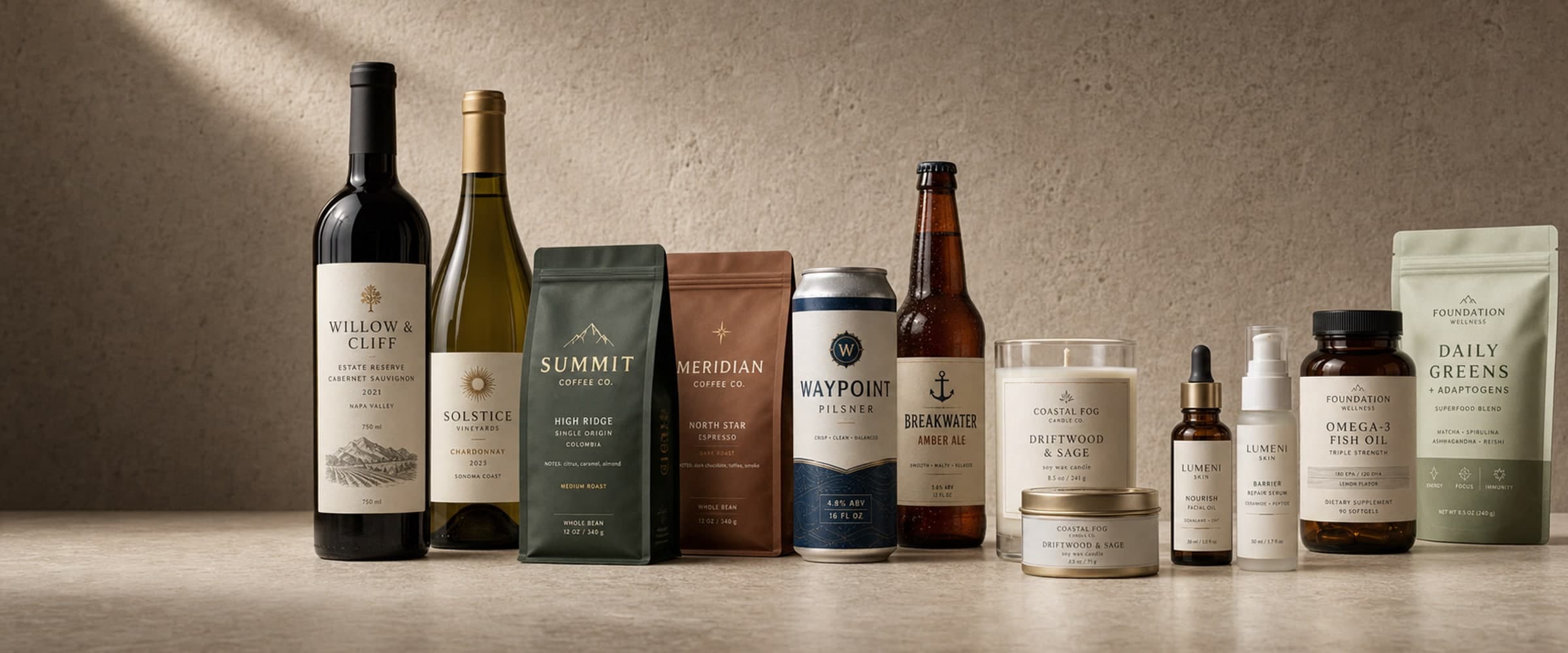
A coffee bag, candle jar, supplement bottle, and delivery box do not need the same hierarchy or dimensions. Use the closest product path, then customize the proof.
Coffee bags
Origins, roast details, tasting notes, dates, and bag-specific sizes.
Candles
Jar, tin, wrap, and warning-label directions for candle products.
Jars and pantry products
Front, lid, wrap, pouch, and information-panel options.
Skincare
Bottle, jar, serum, and back-information label directions.
Supplements
Bottle, pouch, front-panel, and facts-panel directions.
Business stickers
Packaging seals, promotional stickers, and branded handouts.
Workflow
From product details to an approved print order
- Step 1
Create or upload
Choose a product path and create a direction, or bring existing artwork.
- Step 2
Set the format
Choose the physical size, shape, quantity, and one of the core material options.
- Step 3
Review the proof
Check names, claims, ingredients, dates, barcodes, dimensions, and safe areas.
- Step 4
Confirm checkout
Approve the proof, review shipping and applicable tax, then place the print order.
Ordering facts
Know the minimum, materials, and proof boundary before you begin
- Catalog minimum
- 25 labels
- Core materials
- 4 choices
- Payment timing
- After proof review
The four core choices are White matte, White glossy, Kraft paper, Clear BOPP. Material durability depends on the stock, finish, product surface, and handling conditions; confirm demanding moisture, oil, refrigeration, or outdoor uses before ordering.
Buyer questions
Frequently asked questions
What kinds of small businesses can use custom product labels?
LabelMaker supports product-focused workflows for coffee, wine, beer, candles, skincare, supplements, jams, and business stickers. Other small brands can begin in the general label flow or upload finished artwork.
What is the minimum order for small-business labels?
The catalog minimum is 25 labels or stickers. The final price depends on the selected size, shape, and quantity and is shown before payment.
Can I upload a label I already designed?
Yes. Upload the artwork, set the physical dimensions, and review the proof before placing the print order. Use the print specifications to check resolution, bleed, and safe-area requirements.
Do I pay before I see the label?
No. Design exploration and revisions happen before the paid print order. You review the artwork and proof before continuing to checkout.
Can LabelMaker check legal or regulatory compliance?
No. The workflow helps organize product information, but the business remains responsible for ingredients, warnings, barcodes, net contents, claims, and other regulated copy.
How much is standard shipping?
Standard shipping is $9.99 below a $100 merchandise subtotal and free at $100 or more. Applicable tax is shown at checkout.